Few days ago I had to create several systems from one raspbian image. While trying to change hostname for each, I ran into an issue: although changing the entries in /etc/hostname and /etc/hosts, the hostname reverted to the initial one after each reboot. I banged my head a bit and I found out that the culprit was a parameter in /etc/cloud/cloud.cfg.
What is cloud-init?
cloud-init is the industry-standard tool for cross-platform cloud instance initialisation. Originally developed by Canonical for Ubuntu, it is now included in nearly every major Linux distribution — including Raspbian/Raspberry Pi OS — and supported by all major cloud providers (AWS, Azure, GCP, DigitalOcean, and others).
Its job is to configure a system on first boot (or every boot, depending on settings): it sets the hostname, injects SSH keys, configures network interfaces, runs user-defined scripts, and more. It does this by reading instructions from two places: a local configuration file (/etc/cloud/cloud.cfg) and a remote metadata service provided by the cloud or hypervisor platform.
When you clone a Raspbian image, the cloud-init package comes along for the ride. Even on bare metal or a local VM with no cloud provider in sight, cloud-init still runs at boot and applies whatever defaults are baked into cloud.cfg — which is exactly what causes the hostname problem.
The cloud.cfg file
/etc/cloud/cloud.cfg is the main configuration file for cloud-init. It is written in YAML and controls which modules run, in what order, and with what parameters. A typical file is divided into a few key sections:
- System defaults: settings like
preserve_hostname,disable_root, andmanage_etc_hoststhat govern general system behaviour. - cloud_init_modules: modules that run very early, before networking is up (e.g.
seed_random,bootcmd). - cloud_config_modules: modules that run after networking, handling things like package installation, hostname setting, and SSH key management.
- cloud_final_modules: modules that run last, typically user scripts and configuration management calls.
The relevant modules for hostname management are set_hostname and update_hostname, which live in the cloud_init_modules list and run very early in the boot sequence — before your own manual changes have any chance to stick.
The fix: preserve_hostname
By default, preserve_hostname is set to false. In order to avoid resetting the hostname, you have to set preserve_hostname: true in your cloud.cfg. This stops the hostname from changing because it explicitly disables the internal cloud-init modules responsible for managing system identification.
Open the file with your preferred editor (you will need root):
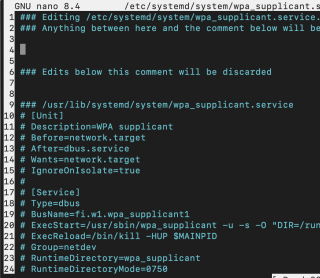
sudo nano /etc/cloud/cloud.cfg
Find the line (near the top of the file) and change it:
preserve_hostname: true
Save and reboot. Your manually configured hostname will now survive restarts.
Specifically, this setting affects the following:
- Disables Specific Modules: It tells
cloud-initto skip theset_hostnameandupdate_hostnamemodules entirely. - Ignores Metadata: By default,
cloud-initfetches alocal-hostnamefrom your cloud provider (like AWS or Azure) on every boot and overwrites/etc/hostnameto match. With this flag set to true,cloud-initignores those external metadata instructions. - Fixes Manual Changes: Without this setting, manual changes made via commands like
hostnamectlare often reverted back to the provider’s default name after a restart. Enabling it ensures your manual configuration remains persistent.
Other useful cloud.cfg settings when cloning images
While you are in cloud.cfg, a few other settings are worth knowing about if you are mass-deploying cloned images:
manage_etc_hosts: false— prevents cloud-init from rewriting/etc/hostson boot, which can undo your static host entries.disable_root: true— ensures the root account stays locked (default on most images; good to verify).ssh_deletekeys: true— regenerates SSH host keys on first boot. Critically important when cloning: if left as-is on all clones, every machine will share the same host keys, which is a security risk and will cause SSH to complain about host identity conflicts.
For a complete guide on managing these settings, you can refer to the official cloud-init documentation on hostname updates.
Hope this helps.
73