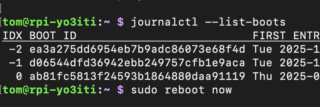
With the idle freeze fixed and persistent journal logging in place, I ran the previous boot error log to see what remained:
journalctl -b -1 -p 3
Apr 09 22:39:27 raspberrypi systemd-udevd[398]: /usr/lib/udev/rules.d/90-alsa-restore.rules:18 GOTO=”alsa_restore_std” has no matching label, ignoring.
Apr 09 22:39:27 raspberrypi systemd-udevd[398]: /usr/lib/udev/rules.d/90-alsa-restore.rules:22 GOTO=”alsa_restore_std” has no matching label, ignoring.
Apr 09 22:39:28 raspberrypi blkmapd[920]: open pipe file /run/rpc_pipefs/nfs/blocklayout failed: No such file or directory
Apr 09 22:39:29 raspberrypi wpa_supplicant[830]: nl80211: kernel reports: Registration to specific type not supported
Apr 09 22:39:32 raspberrypi wpa_supplicant[830]: bgscan simple: Failed to enable signal strength monitoring
Apr 10 00:06:43 raspberrypi sshd-session[1183]: error: mm_reap: preauth child terminated by signal 15
Apr 10 00:06:43 raspberrypi blkmapd[920]: exit on signal(15)
Six errors, four distinct sources. Here is what each one means and what we did about them.
Error 1: alsa-restore.rules — Missing Label
systemd-udevd[398]: /usr/lib/udev/rules.d/90-alsa-restore.rules:18 GOTO=”alsa_restore_std” has no matching label, ignoring.
systemd-udevd[398]: /usr/lib/udev/rules.d/90-alsa-restore.rules:22 GOTO=”alsa_restore_std” has no matching label, ignoring.
What is it?
When a sound card is detected, udev processes the ALSA restore rules file. Lines 18 and 22 both contain GOTO="alsa_restore_std", but the label alsa_restore_std is never defined anywhere in the file. udev logs a warning and ignores the jump.
Inspection of the file to confirmed this:
cat -n /usr/lib/udev/rules.d/90-alsa-restore.rules
# do not edit this file, it will be overwritten on update
ACTION=="add", SUBSYSTEM=="sound", KERNEL=="controlC*", KERNELS!="card*", TEST=="/usr/sbin", TEST=="/usr/share/alsa", GOTO="alsa_restore_go"
GOTO="alsa_restore_end"

LABEL="alsa_restore_go"
ENV{ALSA_CARD_NUMBER}="$attr{device/number}"
# mark HDA analog card
DRIVERS=="snd_hda_intel", TEST=="device/pcmC$env{ALSA_CARD_NUMBER}D0p", RUN+="/bin/sh -c 'echo ALSA_CARD_HDA_ANALOG=...'"
# check for ACP hardware
TEST=="device/device/acp3x-dmic-capture", GOTO="alsa_hda_analog"
TEST=="device/device/acp6x-dmic-capture", GOTO="alsa_hda_analog"
TEST=="device/device/acp63-dmic-capture", GOTO="alsa_hda_analog"
TEST=="device/device/acp-dmic-codec", GOTO="alsa_hda_analog"
GOTO="alsa_restore_std"

LABEL="alsa_hda_analog"
TEST!="/run/udev/alsa-hda-analog-card", GOTO="alsa_restore_std"
IMPORT{program}="/usr/bin/cat /run/udev/alsa-hda-analog-card"
ENV{ALSA_CARD_HDA_ANALOG}!="", ENV{ALSA_CARD_NUMBER}="$env{ALSA_CARD_HDA_ANALOG}"

LABEL="alsa_restore_go"
TEST!="/etc/alsa/state-daemon.conf", TEST=="/usr/sbin/alsactl", RUN+="/usr/sbin/alsactl restore $env{ALSA_CARD_NUMBER}"
TEST=="/etc/alsa/state-daemon.conf", TEST=="/usr/sbin/alsactl", RUN+="/usr/sbin/alsactl nrestore $env{ALSA_CARD_NUMBER}"
LABEL="alsa_restore_end"
The 90-alsa-restore.rules file defines LABEL="alsa_restore_go" twice (lines 5 and 21) and LABEL="alsa_restore_std" zero times. This is a bug in the 1.2.14-1+rpt1 Raspberry Pi patched version of the alsa-utils package. The label is referenced twice but never defined.
What actually happens at runtime?
Because the GOTO target does not exist, udev ignores the jump and continues executing from line 16 downward, falling into the alsa_hda_analog block. On the Pi 5 this block immediately exits because the file /run/udev/alsa-hda-analog-card on line 18 does not exist. ALSA restore then runs normally. The net result is zero functional impact — it is purely cosmetic noise from a packaging bug.
The fix
The file itself says “do not edit this file, it will be overwritten on update”. The correct approach is to create an override in /etc/udev/rules.d/, which takes precedence over /usr/lib/udev/rules.d/ and survives package updates:
sudo cp /usr/lib/udev/rules.d/90-alsa-restore.rules /etc/udev/rules.d/90-alsa-restore.rules
I edited the copy and add the missing label before line 26:
sudo nano /etc/udev/rules.d/90-alsa-restore.rules
I inserted LABEL="alsa_restore_std" so the end of the file reads:
LABEL=”alsa_restore_std”
LABEL=”alsa_restore_go”
TEST!=”/etc/alsa/state-daemon.conf”, TEST==”/usr/sbin/alsactl”, RUN+=”/usr/sbin/alsactl restore $env{ALSA_CARD_NUMBER}”
…
Then I reloaded udev to apply changes:
sudo udevadm control –reload-rules
When the bug is eventually fixed upstream and alsa-utils updates, I deleted the override to go back to the package version:
sudo rm /etc/udev/rules.d/90-alsa-restore.rules
sudo udevadm control –reload-rules
Error 2: blkmapd — NFS Block Mapping Daemon
blkmapd[920]: open pipe file /run/rpc_pipefs/nfs/blocklayout failed: No such file or directory
blkmapd[920]: exit on signal(15)
What is it?
blkmapd is the Block Mapping Daemon, part of the Linux NFS (Network File System) client stack. It handles pNFS block layout — a feature of NFS version 4.1+ that allows an NFS client to access the underlying block storage device directly, bypassing the NFS server for data transfers in high-performance enterprise environments.
I found out that on a typical Raspberry Pi this has no purpose. It starts anyway because it is pulled in as a dependency of the broader NFS client package. The second line — exit on signal(15) — is simply the daemon receiving SIGTERM during a clean system shutdown. That is normal behaviour, not an error.
The fix
I disabled the service entirely. Seems it is safe to do so unless you are specifically using pNFS block layout NFS mounts, which is an enterprise feature you would definitely know about:
sudo systemctl disable nfs-blkmap.service
sudo systemctl stop nfs-blkmap.service
Error 3: sshd — mm_reap signal 15
sshd-session[1183]: error: mm_reap: preauth child terminated by signal 15
What is it?
This is not an error in any meaningful sense. Signal 15 is SIGTERM — the standard polite termination signal sent to all processes during a clean system shutdown. The SSH pre-authentication monitor process received SIGTERM and reported it. This message simply means the previous session ended via a normal reboot or shutdown, not a crash.
The fix
Actually… nothing to fix. This message confirms the previous boot ended cleanly.
Error 4: wpa_supplicant — nl80211 and bgscan
wpa_supplicant[830]: nl80211: kernel reports: Registration to specific type not supported
wpa_supplicant[830]: bgscan simple: Failed to enable signal strength monitoring
What is it?
nl80211 is the Linux kernel’s netlink-based interface for controlling Wi-Fi hardware. The first message means wpa_supplicant attempted to register for a specific nl80211 event type that the Pi 5’s wireless driver does not support — a capability mismatch between the daemon and the driver.
The second message means background scanning for Wi-Fi roaming (i.e. automatically switching to a stronger access point) failed to initialise. This feature is designed for mobile devices moving between access points. On a stationary Pi it is irrelevant.
Both messages are harmless. They reflect wpa_supplicant probing for optional capabilities that the Pi’s driver does not implement.
The fix
Since the Pi is using Wi-Fi, wpa_supplicant must keep running. If REALLY needed, the messages can be suppressed by reducing the wpa_supplicant log verbosity via a systemd service override:
sudo systemctl edit wpa_supplicant
[Service]
ExecStart=
ExecStart=/sbin/wpa_supplicant -u -s -O /run/wpa_supplicant -d 0
The -d 0 flag sets debug level to 0 (errors only). However, I did not do this. Keeping wpa_supplicant at its default verbosity has value — if Wi-Fi drops or reconnection issues occur, the detailed logs will help diagnose them. And, really, internet connection is critical. So I chose to leave the verbosity unchanged for this reason.
Result
After applying the blkmapd and ALSA fixes, the next boot’s error log was down to only the two wpa_supplicant messages, which were understood and intentionally left in place:
journalctl -b 0 -p 3
Apr 10 13:45:31 raspberrypi wpa_supplicant[808]: nl80211: kernel reports: Registration to specific type not supported
Apr 10 13:45:34 raspberrypi wpa_supplicant[808]: bgscan simple: Failed to enable signal strength monitoring
Both are known, harmless, and documented. The system is clean.
Cool. Moving on with my Raspberry Pi 5 adventures.
73 !