Lately I am extensively using Claude from Anthropic for my hobbies and work. This is a live, interactive, debugging session documenting how we (me and Claude) diagnosed and fixed an unexplained system freeze on a Raspberry Pi 5 running Raspberry Pi OS, booting from an NVMe SSD over PCIe.
Initial conditions
The Pi was left idle with the desktop environment enabled, and became unreachable over SSH. Here is the full investigation from first symptom to resolution.
The Setup
- Hardware: Raspberry Pi 5
- Storage: NVMe SSD (469G, booting via PCIe)
- OS: Raspberry Pi OS (64-bit, aarch64)
- Desktop: LightDM / Wayland enabled at startup
- Access: SSH over the network
The Symptom
The Pi was left idle for some time with the desktop environment running. No monitor was connected. Upon returning, SSH login was impossible — the Pi was either frozen or had rebooted silently. A hard power cycle restored access.
Step 1: Check the System Logs
The first move after any unexplained crash is to check the previous boot’s error log:
journalctl -b -1 -p err
Instead of errors, this returned:
Specifying boot ID or boot offset has no effect, no persistent journal was found.
The journal was not surviving reboots. Without persistent logging, there is no record of what happened before a crash — making post-mortem analysis impossible. Fixing this became the first priority.
Step 2: Enable Persistent Journal Logging
The standard fix is to create the persistent journal directory and restart the journal daemon:
sudo mkdir -p /var/log/journal
sudo systemd-tmpfiles –create –prefix /var/log/journal
sudo systemctl restart systemd-journald
Verify it worked:
journalctl –disk-usage
This returned:
Archived and active journals take up 8M in the file system.
Encouraging — but after a reboot, journalctl -b -1 -p err still failed with the same error. Something was still preventing persistence. We came back to this later. In the meantime, the current boot’s logs were examined.
Step 3: Examine Current Boot Errors
journalctl -b 0 -p err
Output:
Apr 09 21:47:36 raspberrypi systemd-udevd[401]: /usr/lib/udev/rules.d/90-alsa-restore.rules:18 GOTO=”alsa_restore_std” has no matching label, ignoring.
Apr 09 21:47:36 raspberrypi systemd-udevd[401]: /usr/lib/udev/rules.d/90-alsa-restore.rules:22 GOTO=”alsa_restore_std” has no matching label, ignoring.
Apr 09 21:47:37 raspberrypi systemd[1]: Failed to start resize2fs_once.service – LSB: Resize the root filesystem to fill partition.
Apr 09 21:47:38 raspberrypi blkmapd[943]: open pipe file /run/rpc_pipefs/nfs/blocklayout failed: No such file or directory
Apr 09 21:47:38 raspberrypi wpa_supplicant[821]: nl80211: kernel reports: Registration to specific type not supported
Apr 09 21:47:41 raspberrypi wpa_supplicant[821]: bgscan simple: Failed to enable signal strength monitoring
Error Analysis
alsa-restore.rules GOTO label missing— Benign. A minor bug in the ALSA udev rules, cosmetic only, no functional impact.resize2fs_once.service failed— Looks alarming but turned out to be irrelevant (see Step 4).blkmapd NFS pipe missing— Benign. An NFS block mapping daemon starting unnecessarily on a system that does not use NFS.wpa_supplicant nl80211 + bgscan— Benign. Common Wi-Fi driver messages on Pi hardware. Background signal scanning for roaming is simply disabled.
None of these errors explain a system freeze. The investigation needed to look elsewhere.
Step 4: Investigate the resize2fs Failure
The resize2fs_once.service failure looked worth investigating. This service is supposed to expand the root filesystem to fill the storage device on first boot. We checked if the disk was critically full:
df -h /
Output:
Filesystem Size Used Avail Use% Mounted on
/dev/nvme0n1p2 469G 40G 411G 9%
This revealed something important: the system is booting from an NVMe SSD, not an SD card. The root partition is 469G with 411G free — nowhere near full. The resize2fs_once service is designed for SD cards and is simply irrelevant here. It can be disabled permanently:
sudo systemctl disable resize2fs_once
More importantly: with a healthy NVMe drive, storage I/O errors can be eliminated as a cause of the freeze.
Step 5: Check Power and Thermal State
Under-voltage and overheating are the two most common causes of silent Pi reboots and freezes. The Pi 5 requires a 27W USB-C PD supply (5V/5A).
vcgencmd get_throttled
vcgencmd measure_temp
The throttle register encodes past and present power/thermal events as a bitmask. A value of 0x0 means no issues. Key flags:
- Bit 0: Currently under-voltage
- Bit 2: Currently throttled
- Bit 16: Previously under-voltage
- Bit 18: Previously throttled
With no evidence of voltage or thermal issues and a healthy NVMe drive, the investigation turned to software.
Step 6: The Desktop Environment — The Real Suspect
The key clue was the idle context: the freeze happened with the desktop enabled and no monitor connected. We checked what display-related services were running at boot:
dmesg | grep -iE “drm|hdmi|display|wayland|compositor”
journalctl -b 0 | grep -iE “wayfire|labwc|xorg|display”
The output revealed something significant:
[drm] Cannot find any crtc or sizes
[drm] Cannot find any crtc or sizes
[drm] Cannot find any crtc or sizes
Apr 09 21:47:38 raspberrypi systemd[1]: Starting lightdm.service – Light Display Manager…
Apr 09 21:47:38 raspberrypi systemd[1]: Started lightdm.service – Light Display Manager.
LightDM was starting, but there was no display connected. The DRM subsystem reported it could not find any CRTC or framebuffer sizes — three times. Running a display manager headlessly like this, where the screen blanking timer fires with no display to blank, is a known source of compositor deadlocks on Pi hardware.
I disabled the desktop autologin in raspi-config before the session, but I had not yet rebooted to apply it.
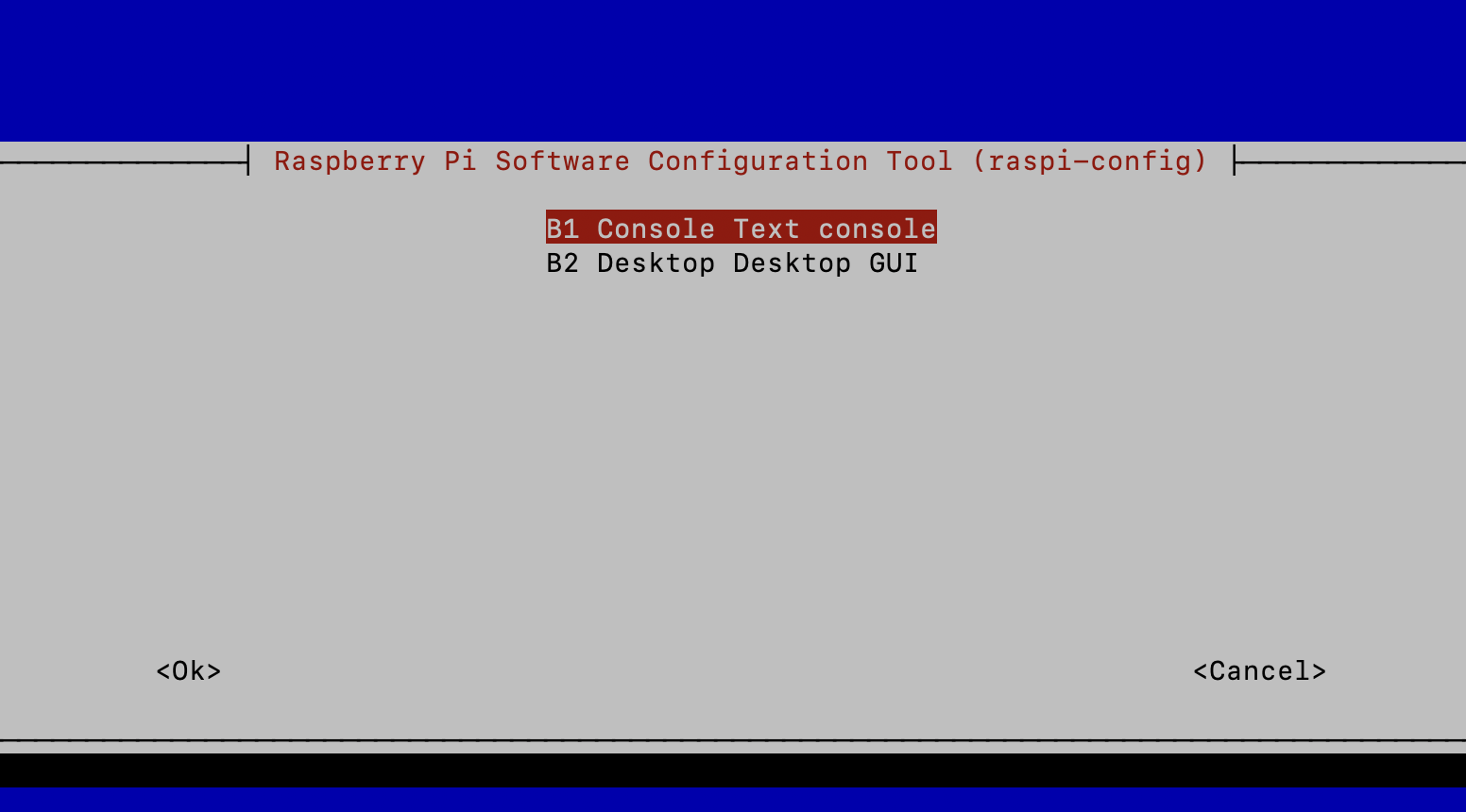
After rebooting and checking:
systemctl is-active lightdm
systemctl get-default
journalctl -b 0 | grep -iE “lightdm|display|graphical”
Output:
inactive
multi-user.target
Apr 09 22:19:39 raspberrypi systemd[1]: Starting rp1-test.service – Check for RP1 displays for Xorg…
Apr 09 22:19:39 raspberrypi systemd[1]: Finished rp1-test.service – Check for RP1 displays for Xorg.
LightDM was now gone. The system target was multi-user.target (headless). The remaining rp1-test.service entry is a harmless one-shot probe that exits immediately.
Important note: raspi-config’s “disable desktop autologin” option only changes the login behaviour, not whether the display manager runs at all. To ensure the desktop is fully disabled, I switched the systemd default target explicitly:
sudo systemctl set-default multi-user.target
sudo systemctl disable lightdm
sudo reboot
Step 7: Fixing Persistent Journal Logging — The Deep Dive
With the likely freeze cause addressed, we returned to the journal persistence problem. Even after creating /var/log/journal/ and restarting journald, it kept falling back to volatile (RAM) storage. After a reboot, only one boot entry existed and the journal directory was empty.
Checking the Effective Configuration
Instead of reading just one config file, this command shows the fully merged effective configuration including all drop-in overrides:
systemd-analyze cat-config systemd/journald.conf | grep -v “^#\|^$”
Output:
[Journal]
Storage=persistent
.
[Journal]
Storage=volatile
.
[Journal]
ForwardToSyslog=yes
Three separate configuration blocks — meaning multiple files were in play. Our Storage=persistent setting was being overridden by a later Storage=volatile from a drop-in file.
Finding the Offending File
find /etc/systemd/journald.conf.d/ /usr/lib/systemd/journald.conf.d/ /run/systemd/journald.conf.d/ -name “*.conf” 2>/dev/null
Output:
/usr/lib/systemd/journald.conf.d/syslog.conf
/usr/lib/systemd/journald.conf.d/40-rpi-volatile-storage.conf
Found it: 40-rpi-volatile-storage.conf. This is a deliberate Raspberry Pi OS policy file that forces volatile (RAM-only) journal storage. The intention is to protect SD cards from excessive write cycles — a perfectly reasonable default for SD-card-based Pi setups, but completely unnecessary and counterproductive on an NVMe SSD.
The Fix: Override With a Higher-Priority Drop-in
The file lives in /usr/lib/ which is owned by the OS package manager and should not be edited directly — it would be overwritten on system updates. Instead, I created an override in /etc/systemd/journald.conf.d/ with a higher numeric prefix so it loads last and wins:
sudo mkdir -p /etc/systemd/journald.conf.d/
sudo nano /etc/systemd/journald.conf.d/50-persistent.conf
Contents of the new file:
[Journal]
Storage=persistent
The 50- prefix ensures this file is processed after 40-rpi-volatile-storage.conf and takes precedence. Applied the change:
sudo systemctl restart systemd-journald
sudo journalctl –flush
Confirming It Worked
ls -lh /var/log/journal/$(cat /etc/machine-id)/
systemctl status systemd-journald | grep -i “system journal\|runtime journal”
Output:
total 16M
-rw-r—–+ 1 root systemd-journal 8.0M Apr 9 22:36 system.journal
-rw-r—–+ 1 root systemd-journal 8.0M Apr 9 22:36 user-1000.journal
.
Apr 09 22:36:22 raspberrypi systemd-journald[1291]: System Journal (/var/log/journal/9c9a4af72544486ca321bae3c07eb141) is 8M, max 4G, 3.9G free.
System Journal is now active and writing to the NVMe. After one more reboot, confirmed with:
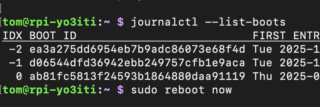
journalctl –list-boots
Output:
IDX BOOT ID FIRST ENTRY LAST ENTRY
-1 b281a4a525f746638e423f26a4c13247 Thu 2026-04-09 22:31:10 BST Thu 2026-04-09 22:36:47 BST
0 d5ff078e9bd540b483bb9828a82e0899 Thu 2026-04-09 22:36:59 BST Thu 2026-04-09 22:37:11 BST
Two boot entries. Persistent logging is fully operational.
Summary: What Was Fixed and Why
Fix 1: Disabled the Desktop Environment
LightDM was starting at boot with no monitor connected, causing the DRM subsystem to repeatedly fail to find a display. The screen blanking timer firing against a headless compositor is a known deadlock trigger on Pi hardware. Switching the systemd default target to multi-user.target and disabling LightDM eliminated this.
Fix 2: Overrode the Raspberry Pi OS Volatile Journal Policy
Raspberry Pi OS ships /usr/lib/systemd/journald.conf.d/40-rpi-volatile-storage.conf which forces Storage=volatile to protect SD cards from write wear. On an NVMe SSD this protection is not necessary and is obvious it hampers any post-crash log analysis. The fix is a higher-priority drop-in at /etc/systemd/journald.conf.d/50-persistent.conf containing Storage=persistent.
Going Forward
If a freeze occurs again, I will use the following commands that will now provide concrete evidence immediately after the next reboot:
journalctl -b -1 -p err
journalctl -b -1 | tail -50
vcgencmd get_throttled
dmesg | grep -iE “error|fail|voltage|throttl|oom”
Conclusion
The combination of a headless systemd target and persistent journal logging puts the system in a much better state for long-term unattended operation.
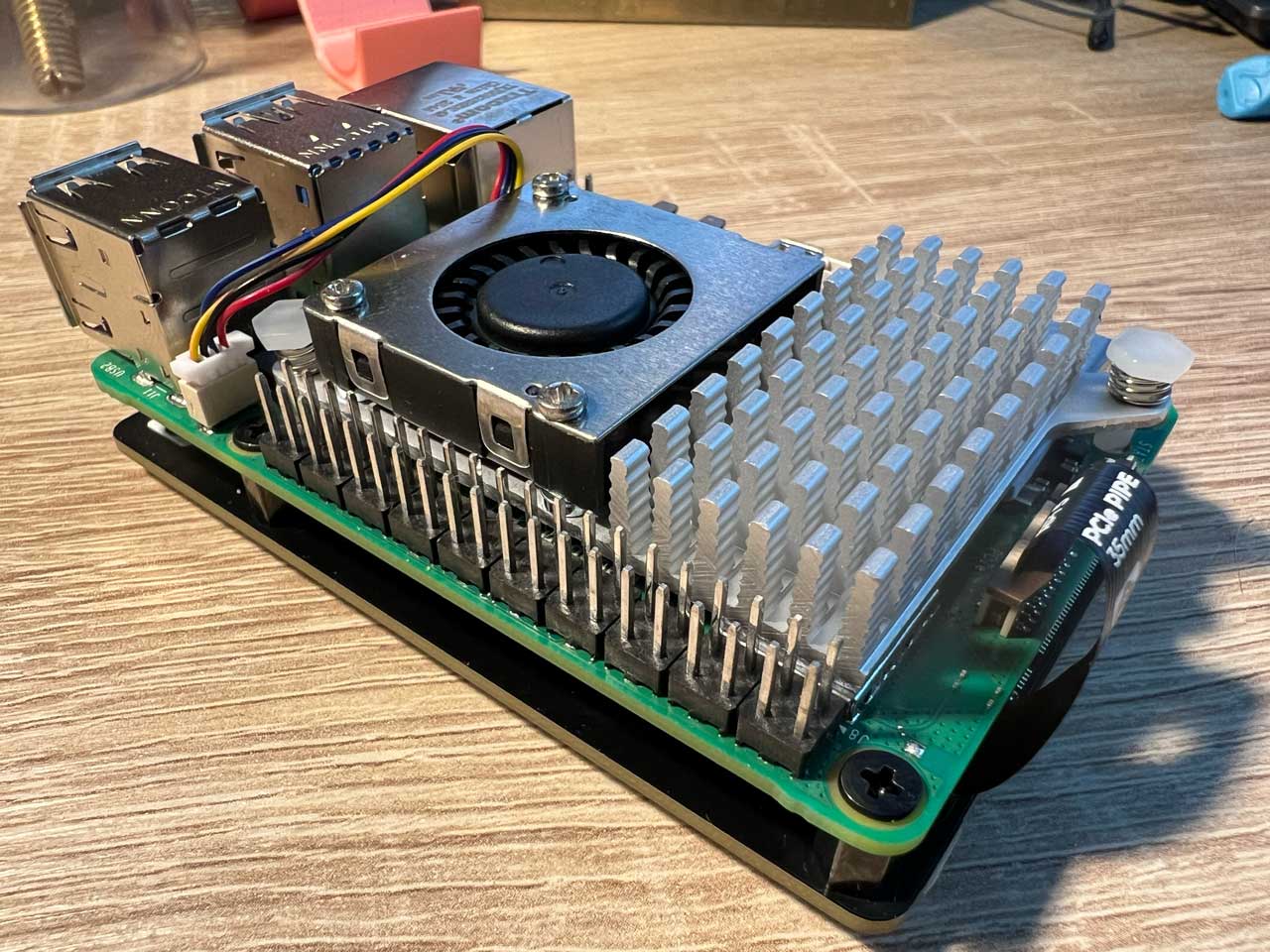
Raspberry Pi 5, 8GB version with Raspberry Pi Active Cooler and NVMe Base for Raspberry Pi 5 (Pimoroni 2280 NVMe SSD HAT). The speed of this combo is excellent, but I still have to learn a lot to manage it properly.