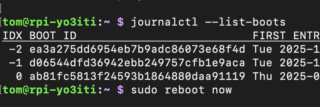
Few days ago I had to create several systems from one raspbian image. While trying to change hostname for each, I ran into an issue: although changing the entries in /etc/hostnames and /etc/hosts, the hostname reverted to the initial one after each reboot. I banged my head a bit and I found out that the culprit was a parameter in /etc/cloud/cloud.cfg.
By default, the setting is on false. In order to avoid resetting the hostname, you have to set preserve_hostname: true in your cloud.cfg. This stops the hostname from changing because it explicitly disables the internal cloud-init modules responsible for managing system identification.
Specifically, this setting affects the following:
- Disables Specific Modules: It tells
cloud-initto skip theset_hostnameandupdate_hostnamemodules entirely. - Ignores Metadata: By default,
cloud-initfetches a “local-hostname” from your cloud provider (like AWS or Azure) on every boot and overwrites/etc/hostnameto match. With this flag set to true,cloud-initignores those external metadata instructions. - Fixes Manual Changes: Without this setting, manual changes made via commands like
hostnamectlare often reverted back to the provider’s default name after a restart. Enabling it ensures your manual configuration remains persistent.
For a complete guide on managing these names, you can refer to the official cloud-init documentation on hostname updates.
Hope this helps.
73