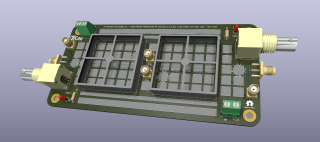
I am not a huge fan of KiCad. However, given the limited and abysmal options that we have for free EDA packages, KiCad is quite ok, although terribly flawed in some areas. Maybe the development team should focus on some simple functionalities like support for rounded traces, net group routing, zones, a simple way to (shortcuts) to highlight nets, grouping nets, properties panels etc instead of stubbornly insisting on that terrible auto-routing feature that I doubt anyone uses. Just thinking. There are many problems with it but, hey, it is a free software and seems it has a future. And, for a hobby, with some care, you can get your job done.
However, the BEST feature of this software is that you can enhance it with packages/ plugins that can be written in Python. I do not like Python very much for reasons that do not concern coding per se but mostly because what I believe is a horrible experience in setup; interpreter selection is still a mystery for me and that story with virtual environments, although a generous concept, is sometimes a nightmare. Well, however, I have to admit that it is a simple way to get results. The huge Python community and enthusiasts are fantastic and the knowledge base one can find online is impressive.
KiCad is enhanced with Python and simply the fact that you can change/ add functionalities with Python is fantastic. So I had my first attempt at creating a plugin and this is the first result.
import pcbnew
import os

class SimplePlugin(pcbnew.ActionPlugin):
  def defaults(self):
    self.name = "Tom's"
    self.category = "A descriptive category name"
    self.description = "A description of the plugin and what it does"
    self.show_toolbar_button = True  # Optional, defaults to False
    self.icon_file_name = os.path.join(os.path.dirname(__file__), 'simple_plugin.png')  # Optional, defaults to ""

  def Run(self):
    # The entry function of the plugin that is executed on user action
    print("Hello World")

SimplePlugin().register()  # Instantiate and register to Pcbnew
Work in progress.
😉